Add a new team
An Admin can create a new Team.
1. Starting at the sidebar menu, select Settings > Teams to see a list of existing Teams

2. Click the button 'New' and enter details about the new Team

3. Add Team Members now, or do this later. Click 'Submit' to create the new Team.

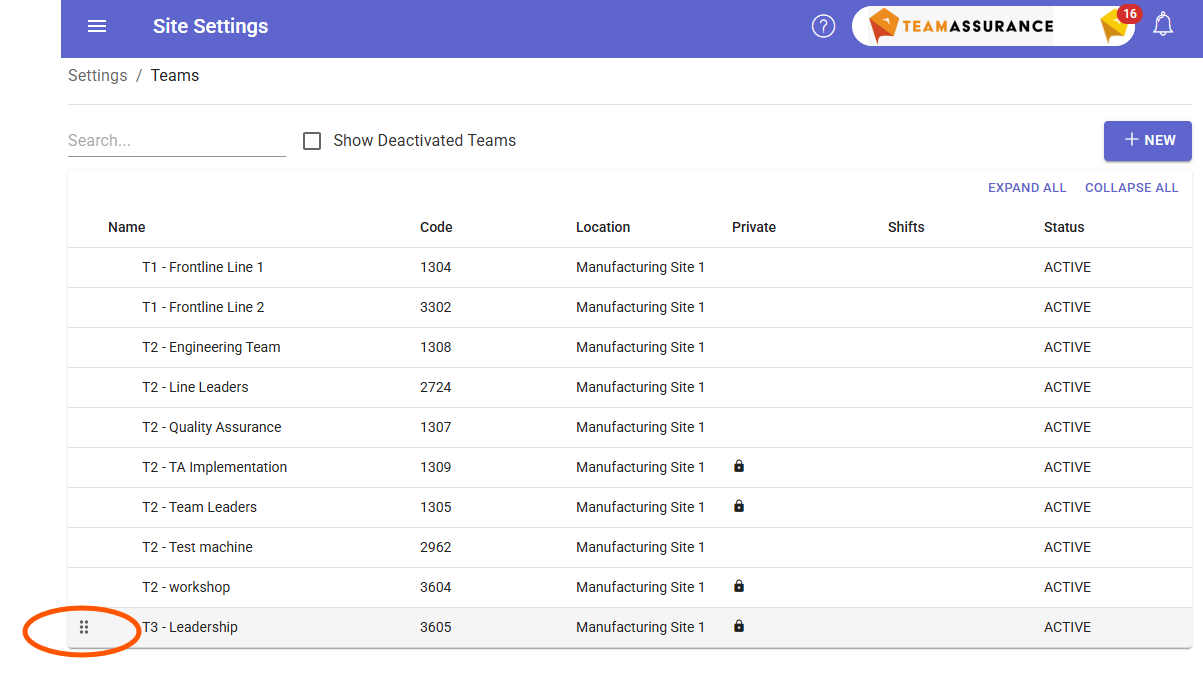
Order Teams
Drag and drop to order Teams list
Hierarchy of Teams
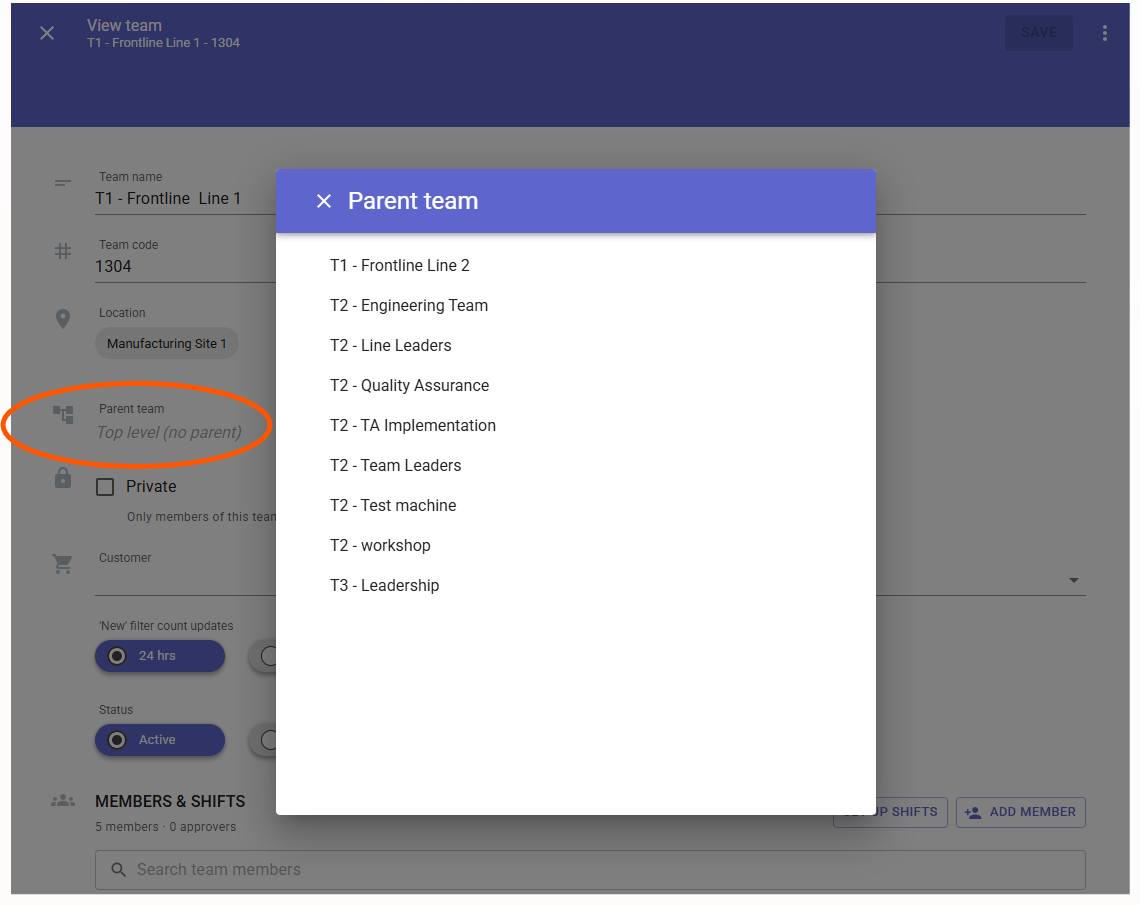
Add Parent /Child Team structure. To do this Settings > Teams > Parent team
A requirement when using Status Approval workflow
Shifts within a Team
Feature must be added to your Site. If not sure, ask Support
Why set up Shifts - Keep your Team pivoting around the operation.
- enables Rotating Shifts & Set Shifts
- add Shift Team Leader - Defaults assigning Activities or Checklists to the Teams Shift Leader
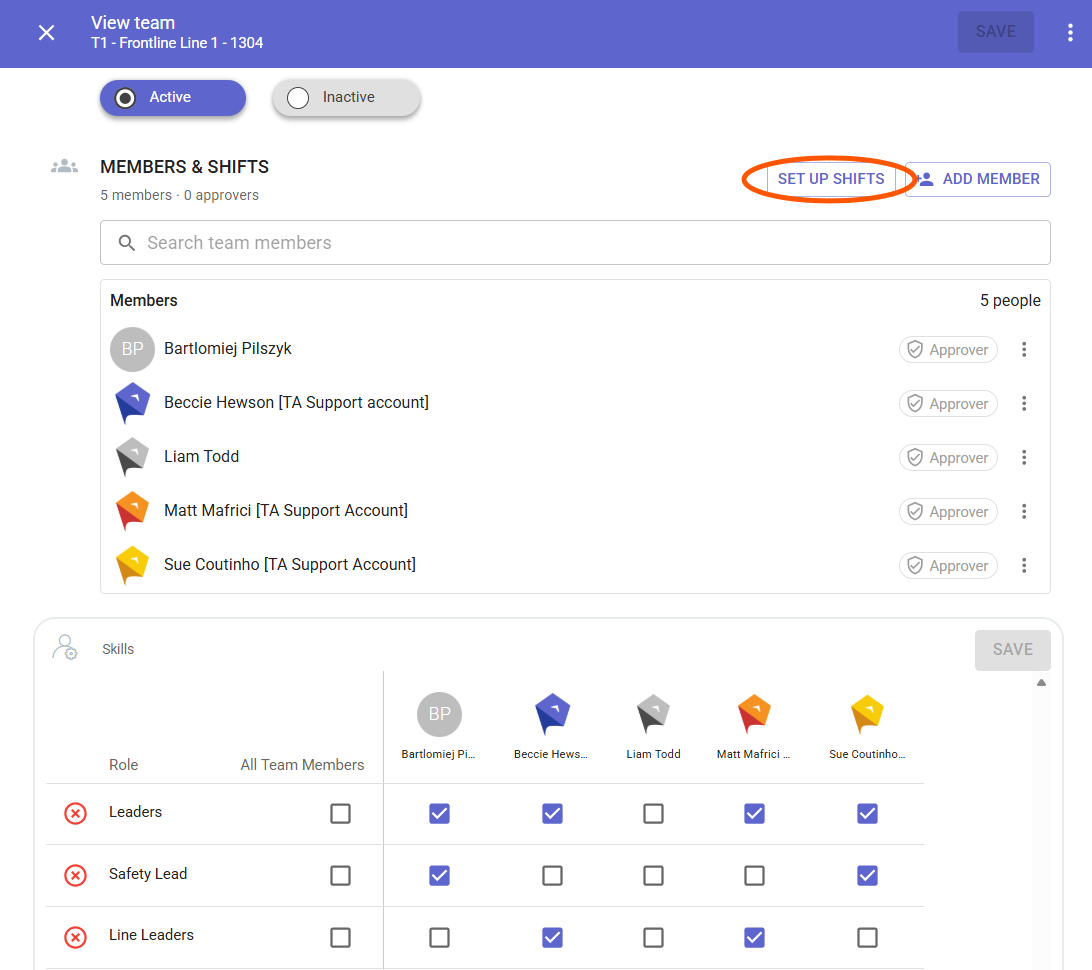
To do this - Settings > Teams > Set up Shifts
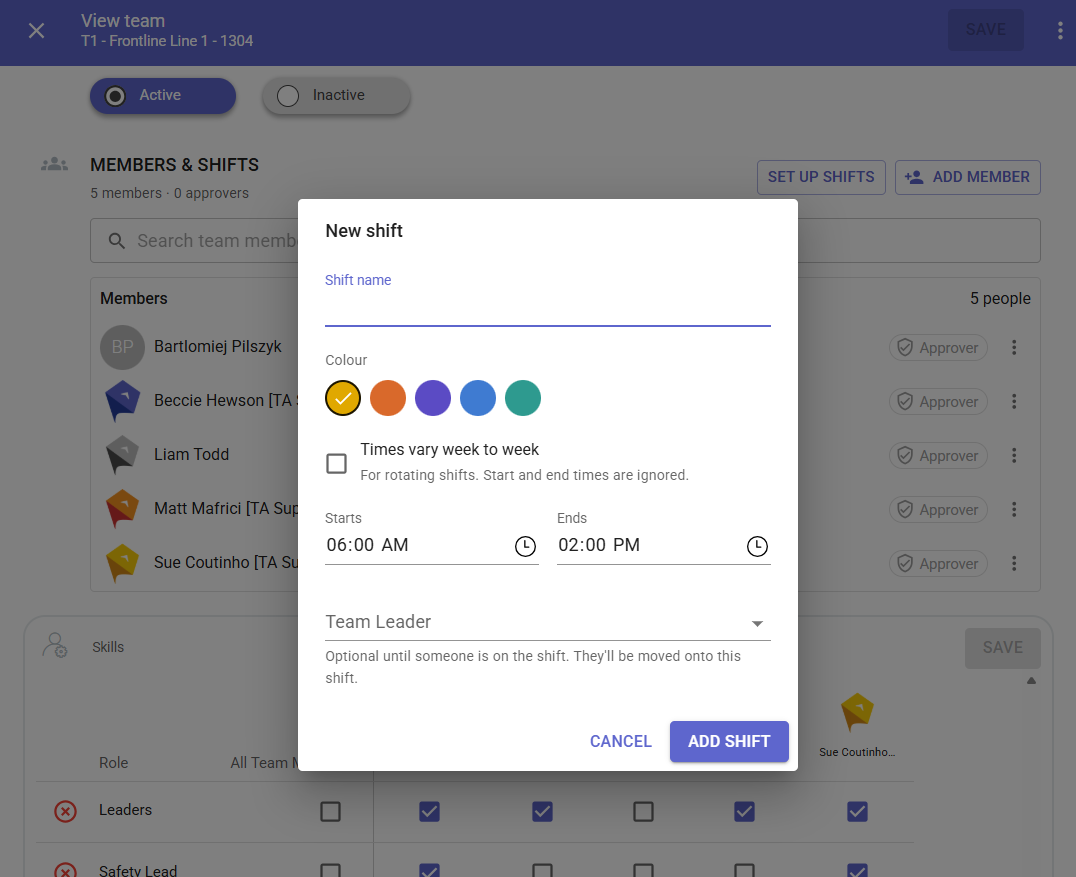
New Shift
- add Name - suggest to Team name + Shift identifier eg. A, B, C
- select Rotating (times vary week to week OR Shift Starts & Ends time
- select Team Leader (optional at this point) recommended for workflow and a must for Approval workflow feature
- continue adding New Shift until set up
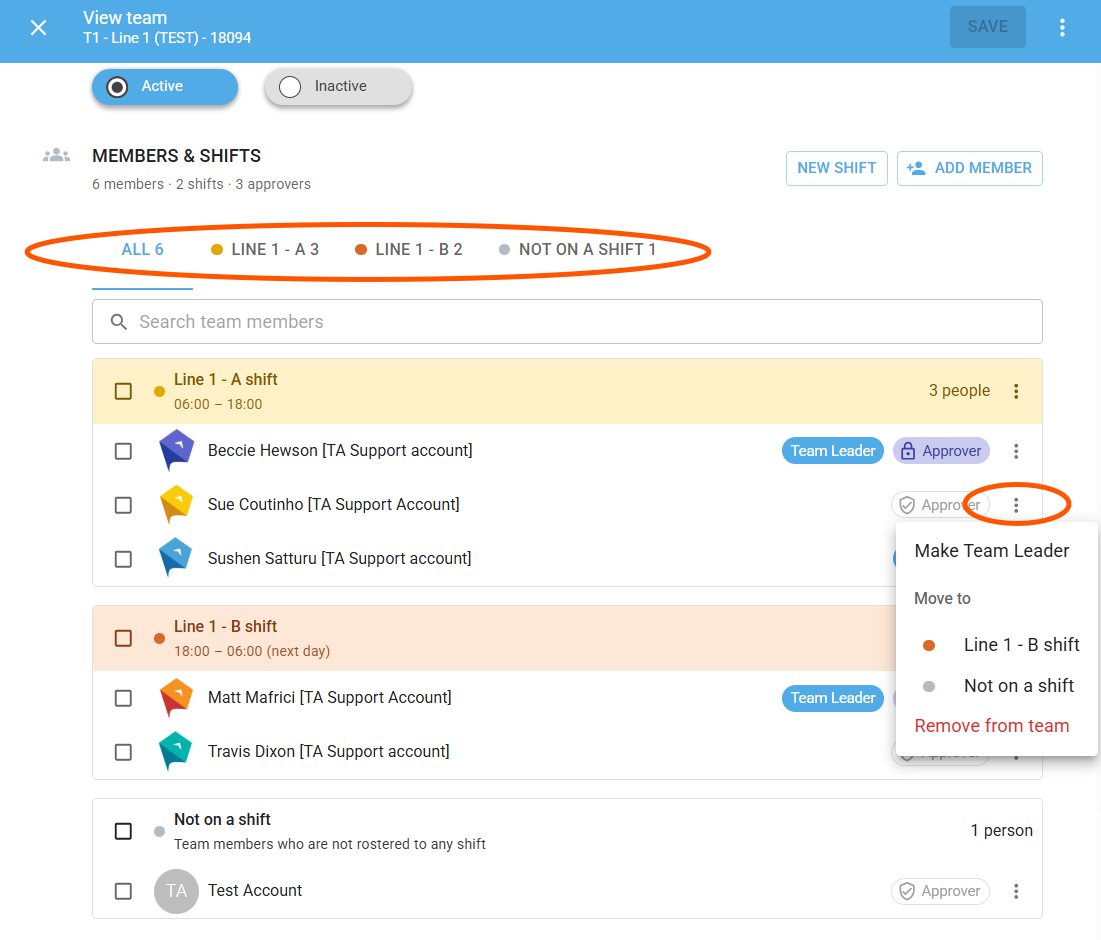
Configured View
- Filters to display ALL, Shift and Not on Shift view
- Option next to each Team member to Move Shift, Remove from Team, make the Team Leader
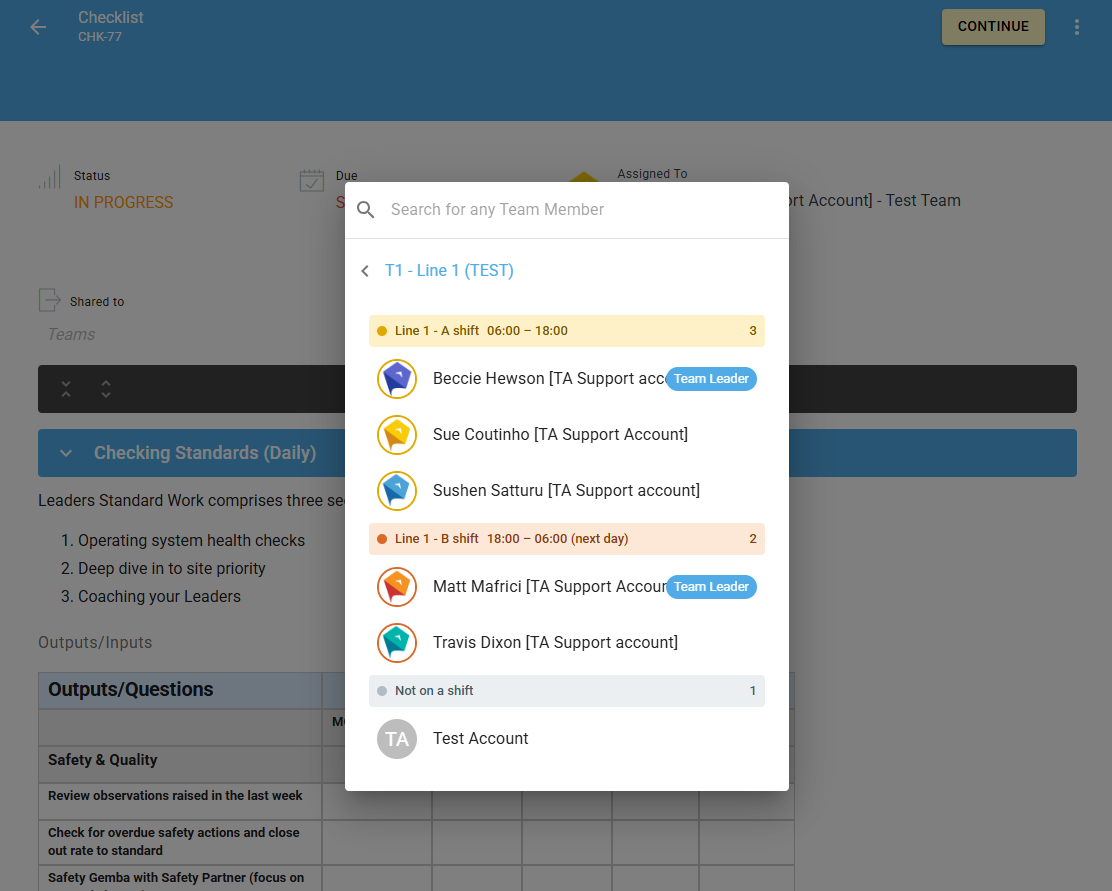
Assigning a Checklist or Activity - displays Team & Shifts, including Team Leader visibility for each Shift