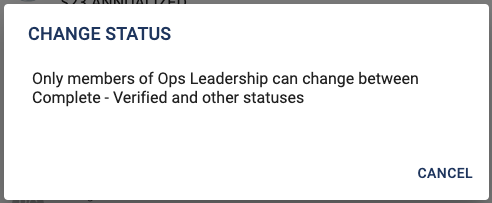
Restrict Status Transitions
Limit who can change a Status for an Activity.
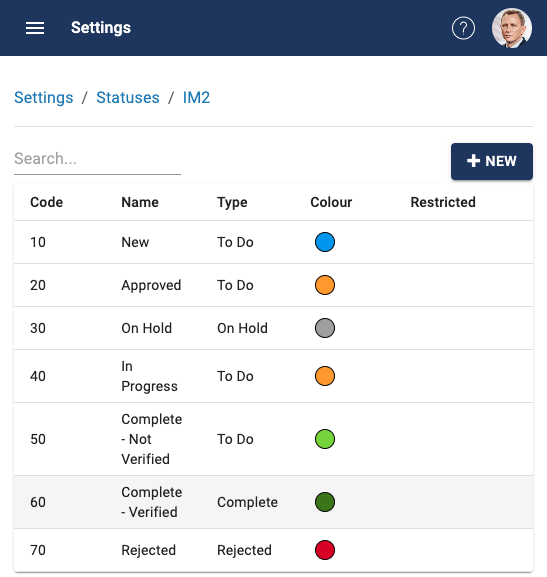
Example: an IMPROVEMENT activity might have the following statuses;

If you want to prevent most people from selecting (or changing from) the Complete-Verfied status, that can be configured by an Admin, so that only members of a specified Team can make the change.
Set-up
- Admins go to Settings > Status, and select the Activity Type
-
Select the Status to be restricted
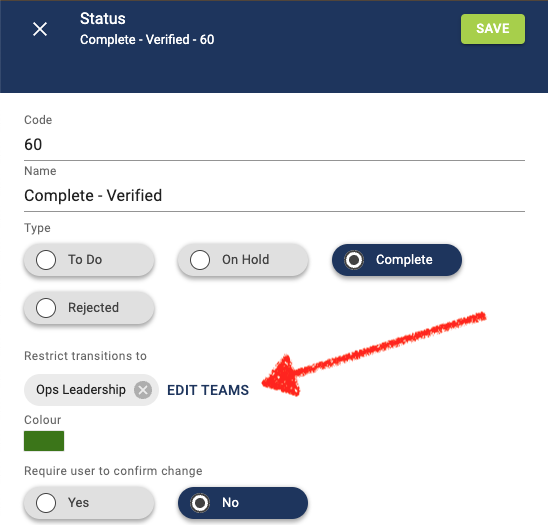
- Under the field: Restrict transitions to, click on EDIT TEAMS.
-
Select the team (or teams) that should have permission to transition to-and-from this status. Save.
-
Only members of the Ops Leadership team can change to-or-from Complete-Verified. If anyone else attempts to transition this status, they will see a message.